Work Together Without Turning Everyone’s CRM Into One Big Shared Inbox
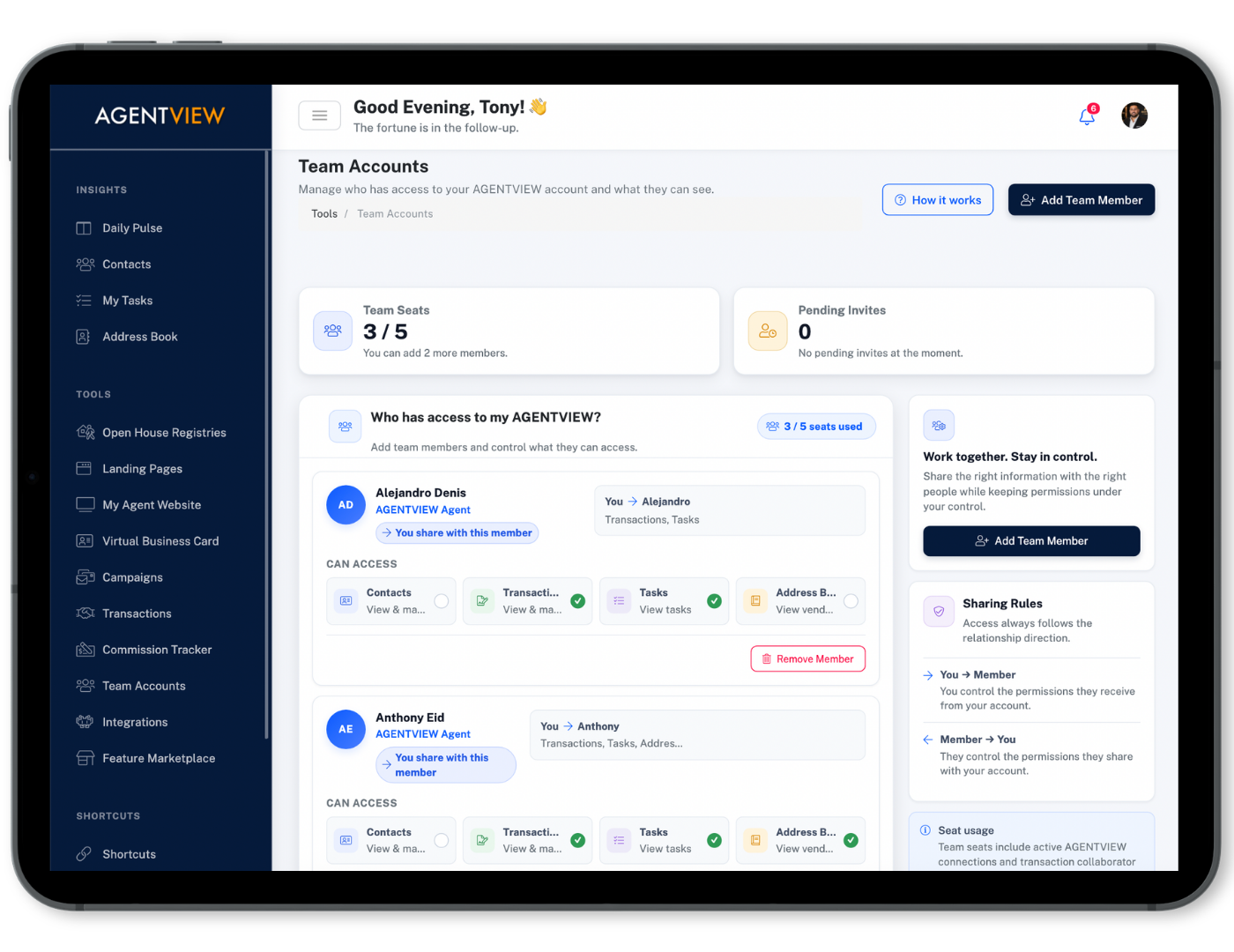
AGENTVIEW Team Accounts let agents, brokers, and teammates collaborate on the contacts, tasks, transactions, and updates that need to be shared—while each person keeps control of their own workspace.
Share the Work That Needs a Team—Not Your Entire Business
Real estate teams need visibility, but not everyone needs access to everything. Team Accounts give you a controlled way to collaborate around specific contacts, tasks, address books, and transactions while keeping each user’s CRM their own.
Bring the Right People In
Connect with teammates, brokers, and collaborators when a client or transaction needs more than one person involved.
Choose What Gets Shared
Decide whether a connection can see contacts, tasks, transactions, or your address book instead of opening up everything by default.
Keep Everyone Working From the Same Update
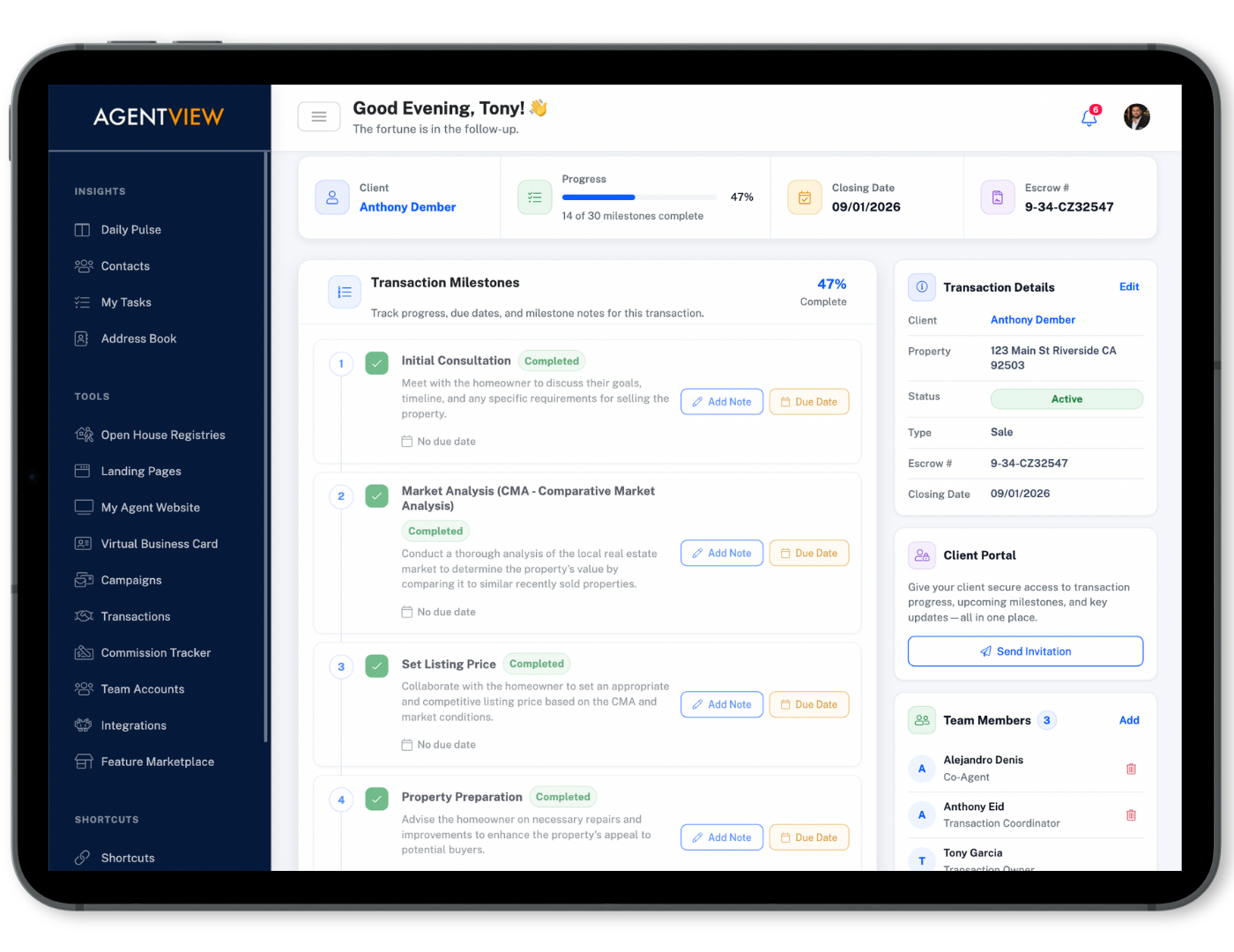
Shared notes, reminders, transaction progress, and activity help reduce the “who talked to the client last?” problem.
Connect the Team Only Where the Work Needs to Be Shared
Team Accounts let collaboration happen around the client or transaction instead of forcing every user into one completely shared CRM.
Connect With a Teammate
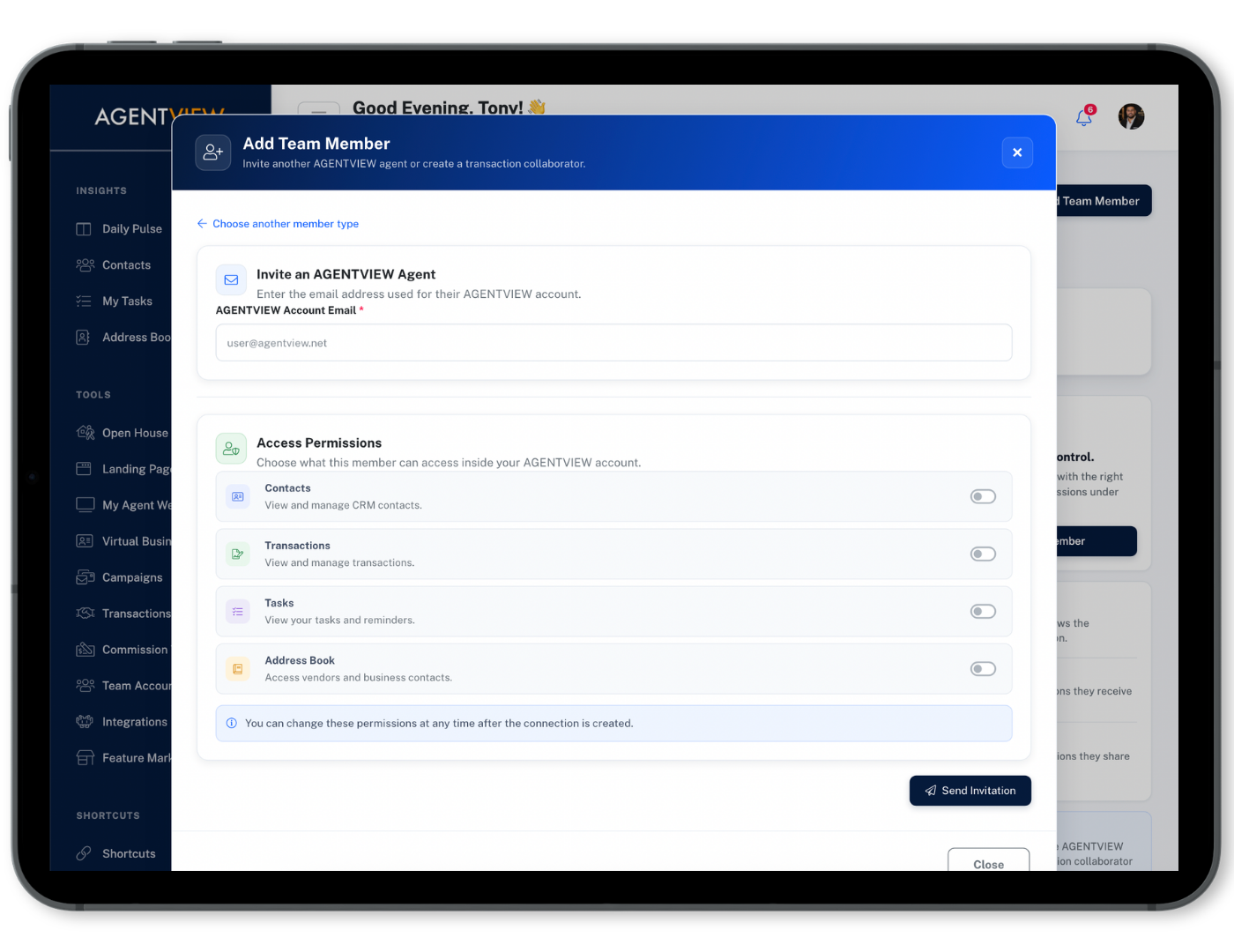
Invite another AGENTVIEW user or establish the connection needed to work together.
Choose What to Share
Decide whether that relationship needs contacts, tasks, transactions, or address-book visibility.
Work From the Same Information
Shared notes, reminders, updates, and transaction activity keep connected members informed.
Keep Individual Control
Each user keeps ownership of their own CRM while collaborating only where it makes sense.
Collaborate Without Giving Up Your Own CRM
Team Accounts create a connection between AGENTVIEW users so people can work together without merging every contact, task, or transaction into one shared account.
That makes it practical for agents to co-manage opportunities, for brokers to have visibility where needed, and for teammates to stay coordinated without losing individual control.
You Decide What Each Connection Can Work With
Every team relationship can be different. One teammate may need access to shared contacts and tasks, while a broker may only need visibility into certain transactions.
AGENTVIEW lets you control what is shared so collaboration does not mean giving everyone unrestricted access to your entire database.
Bring the People Around a Transaction Into the Same Workflow
Invite teammates and transaction participants into the deal so the people responsible for moving it forward can see the information that matters.
AGENTVIEW can also bring outside participants such as escrow officers, transaction coordinators, lenders, and co-agents into specific transactions—even when they do not have their own AGENTVIEW account.
Keep the Team From Losing Context Between Conversations
Collaboration is more useful when everyone can see the updates that explain what happened, what was promised, and what needs to happen next.
Shared Notes & Updates
Keep important client and transaction context visible so connected team members are not working from different versions of the story.
Tasks & Reminders
Assign work and keep reminders connected to the shared relationship so responsibilities are easier to see and follow through on.
Communication History
Give connected members visibility into relevant interaction history so the next person does not have to guess what was already discussed.