Stay in Front of Leads Without Starting Every Follow-Up From Scratch
Build targeted email campaigns, automate the right follow-up, and see how your messaging is performing—all while keeping the campaign connected to the people in your CRM.
Turn Follow-Up Into a Repeatable Part of Your Business
Email campaigns give you a way to stay connected with leads and clients over time without writing every message from the beginning. AGENTVIEW keeps the campaign, the contact, and the results connected in one workflow.
Start With the Right Message
Use ready-to-go real estate campaigns for common situations instead of rebuilding every follow-up sequence yourself.
Put Follow-Up on Autopilot
Assign campaigns to individual contacts or automatically start the right sequence when a lead enters your workflow.
See What Is Getting Attention
Track sent, opened, unopened, and open-rate activity so you can see how each campaign is performing.
From New Lead to Consistent Follow-Up
The campaign becomes part of the relationship instead of another separate marketing task you have to remember.
A Lead Enters
A new contact comes into AGENTVIEW from the source or workflow you are already using.
The Right Campaign Starts
Choose a campaign manually or use campaign triggers to assign one automatically.
Messages Go Out Over Time
Control timing and intervals so follow-up continues without requiring you to send every email manually.
You See the Response
Review campaign activity and engagement so you know which messages are getting opened.
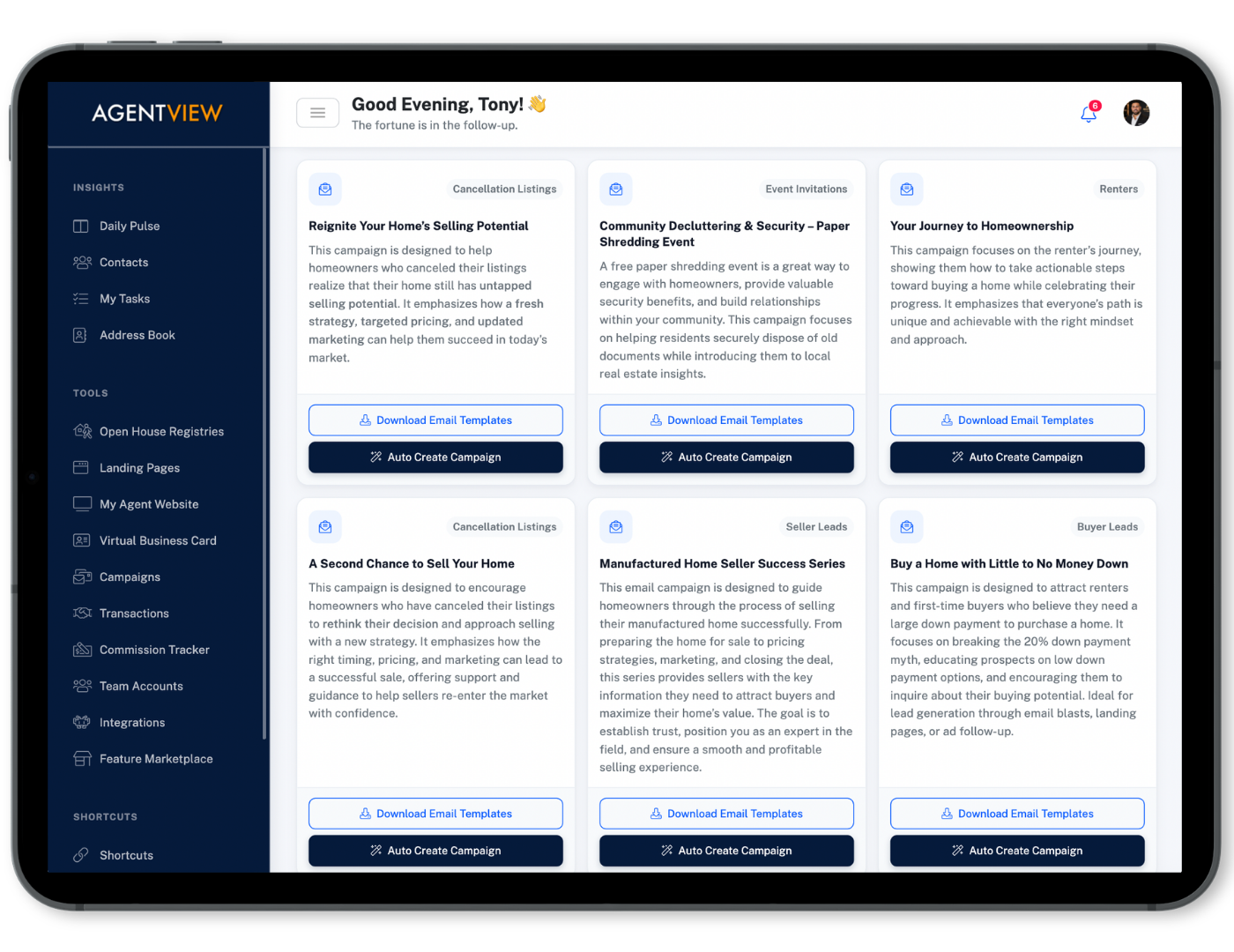
Choose a Campaign Built for the Conversation You Need to Have
AGENTVIEW includes professionally written real estate email campaigns designed for different client types and situations.
Whether you are nurturing a new lead, following up after a showing, promoting a listing, or staying in touch with a colder opportunity, you can start with a structured sequence instead of a blank screen.
Start the Right Follow-Up Without Waiting to Remember It Later
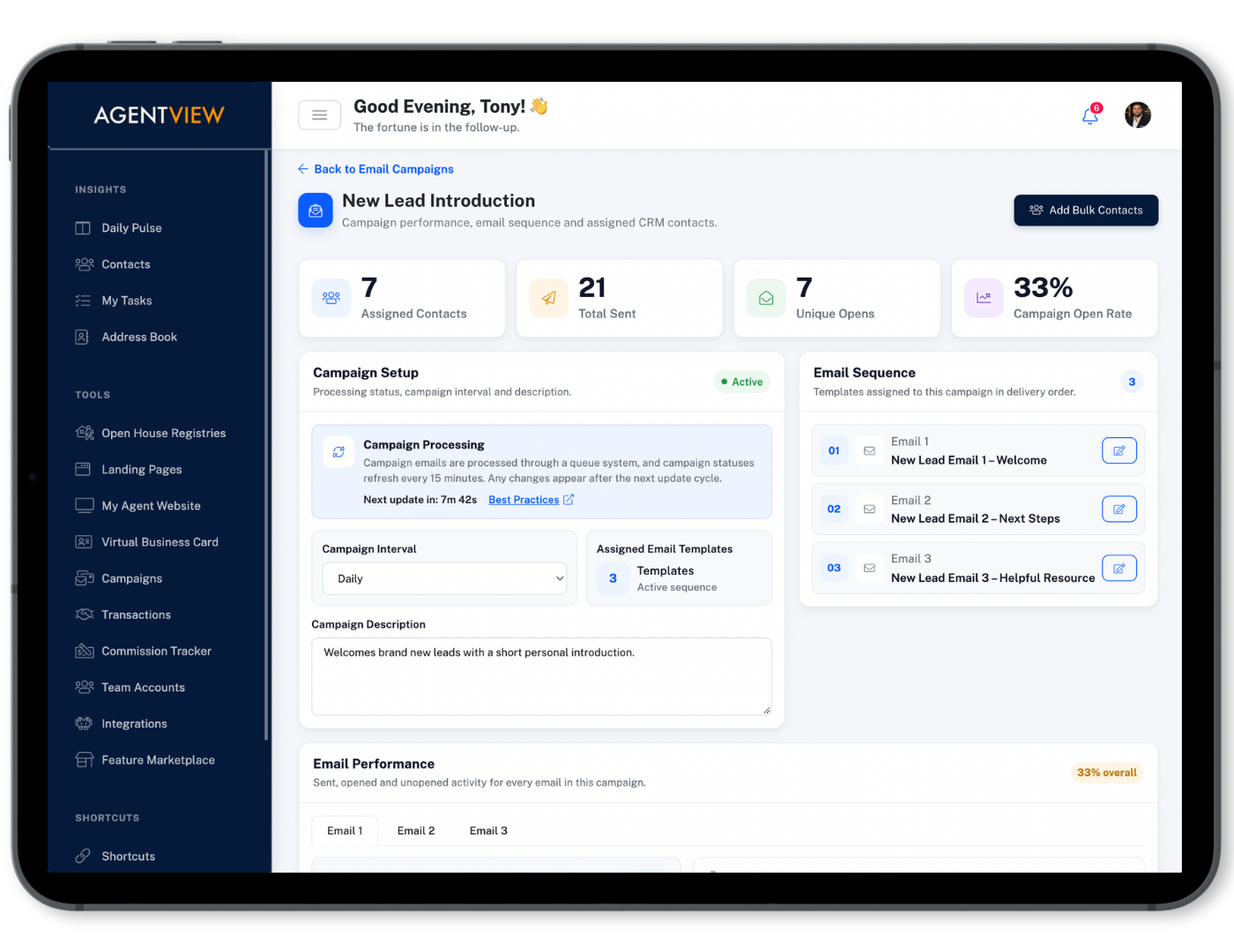
Add a contact to a campaign directly from the client profile, choose the start date, or use Campaign Triggers to automatically assign a campaign based on how a new lead enters AGENTVIEW.
That helps make follow-up more consistent while still keeping each campaign connected to the person receiving it.
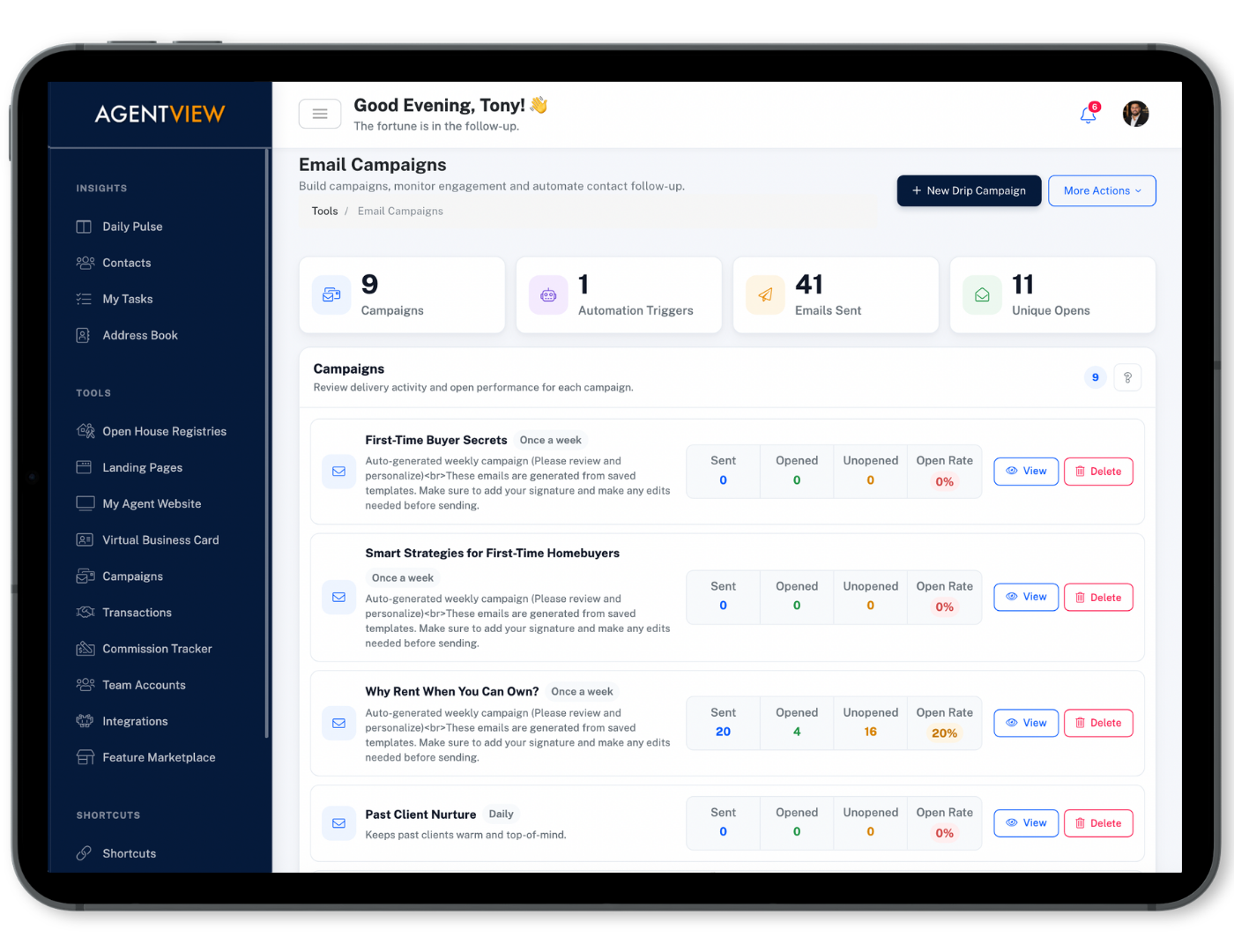
See Which Campaigns Are Getting Opened and Where Engagement Is Happening
AGENTVIEW gives you a centralized view of campaign performance so you can see how your email sequences are doing without treating each send like a black box.
Review sent, opened, unopened, and open-rate activity, then use that visibility to refine messaging, timing, and the campaigns you use with different groups.
Adjust the Details as Your Follow-Up Strategy Changes
The campaign is not locked after you create it. Keep control over the contacts, content, and timing that shape the sequence.
Edit the Email Content
Update campaign messaging so the sequence reflects the conversation and audience you want to reach.
Control Start Dates & Intervals
Choose when a contact starts and adjust the timing between messages to fit the follow-up strategy.
Manage Who Receives It
Add individual contacts or groups to the campaign as your audience and follow-up needs change.